Limit Notifications
When you receive a notification on your iPhone, many things occur at once. Your display turns on, plays a sound, vibrates (if you have that option enabled), and includes an animation; it’s a lot. And if you have a lot of apps installed on your phone, you’re probably getting a lot of notifications every day, which is likely causing excessive battery consumption that you weren’t aware of. It is important to turn off some useless operations, not only to save battery life but also to avoid checking your phone now and then.
Instructions:
Go to the Settings app and scroll down to find the app you want to stop notifications for.
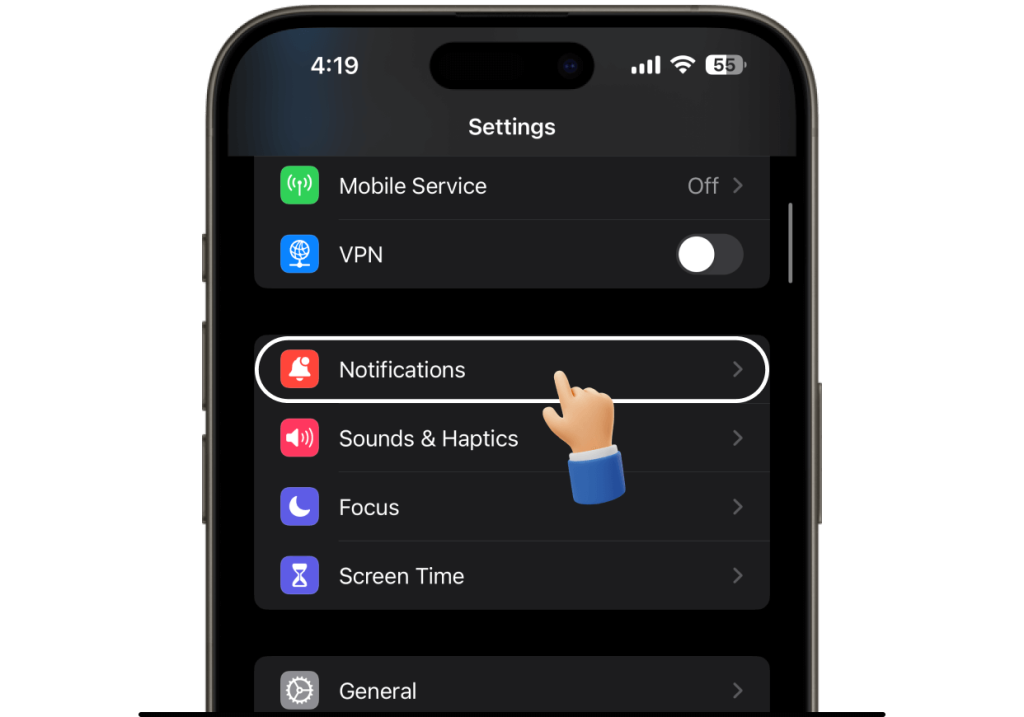
Tap on it, then select “Notifications.”
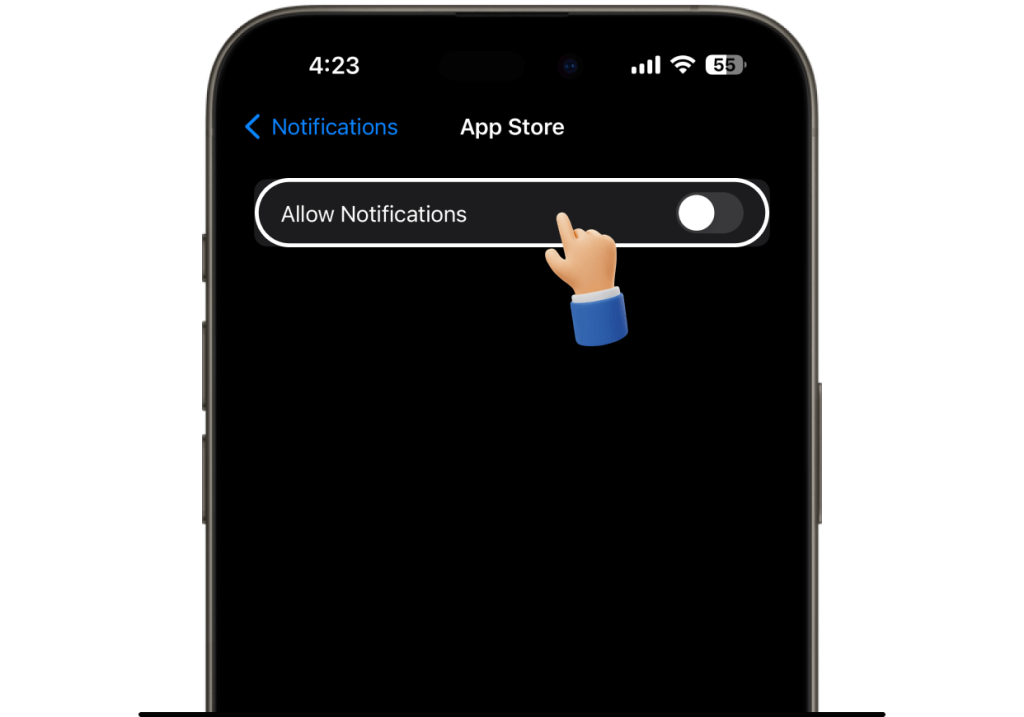
There’s a primary toggle at the top of the UI that allows you to completely disable notifications, and there are several settings below it to customize how those alerts are delivered, whether quietly in the background or as banners while you’re using your phone. Simply disable all unnecessary notifications to maximize battery life.